
TikTok Analytics Explained: How to Read and Use Your Insights (2026)
TikTok analytics explained: overview, followers, content, and Live metrics. How to read TikTok insights and use them to improve reach and posting time.
TikTok Analytics Explained: How to Read and Use Your Insights (2026)
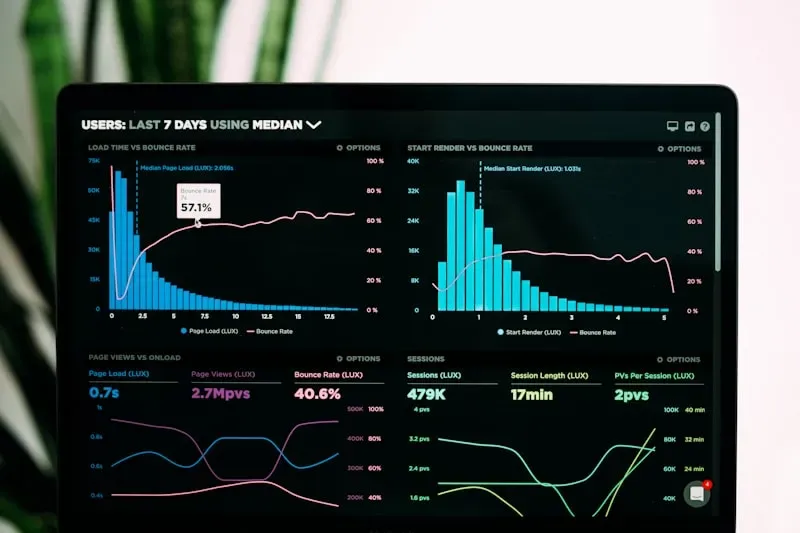
Direct answer: TikTok Analytics (Profile → Creator tools → Analytics) shows you overview, followers, content, and Live metrics. Use it to see when your followers are active (best times to post), which videos get the best watch time and engagement, and how your account is growing. There’s no separate “TikTok insights” app—everything is in the TikTok app under Creator tools. Use these numbers to refine your content and posting strategy and trends you join.
Key takeaways
- Analytics live in Profile → Creator tools → Analytics (Overview, Followers, Content, Live).
- Use the Followers tab for best times to post; use Content for watch time and top videos.
- Pair with our engagement calculator and algorithm guide. For the full walkthrough, see TikTok Creator Academy.
Where to Find TikTok Analytics
- Open TikTok → Profile → Menu (≡) → Creator tools → Analytics.
- You need a Creator or Business account and usually at least a few hundred followers for full analytics. Basic metrics may appear earlier.
Overview Tab: What Matters
- Video views — Total views in the last 7 or 28 days. Track if views dropped suddenly.
- Profile views — How many people opened your profile. Rises when a video does well.
- Likes, comments, shares — Engagement. The algorithm cares about watch time and completion most; use these as secondary signals.
- Follower count — Growth over time. Correlate with your best-performing content and posting times.
Followers Tab: When Your Audience Is Online
- Follower activity — Shows which hours and days your followers are on TikTok. Post 10–30 minutes before peak for maximum reach. This is the data behind our best times to post guide.
- Gender and top territories — Use this to tailor content and hashtags to your real audience.
Content Tab: Which Videos Work
- Video performance — Views, likes, comments, shares, watch time. Prioritize average watch time and completion rate; they drive the algorithm most.
- Trending videos — See which of your videos took off. Replicate hooks, length, and trends that worked.
- Video views by section — For You vs Following vs Profile. High “For You” means the algorithm is pushing you.
Use this tab to decide what to double down on and what to avoid. Pair with our engagement calculator to see engagement rates.
Live Tab (If You Go Live)
- Live views and duration — How many watched and for how long.
- Gift/diamond metrics — Revenue from Live gifts. Use our gift calculator to estimate earnings.
How to Use Analytics to Grow
- Post at peak times — Use Followers → activity to align with best times to post.
- Improve watch time — Study top videos in Content; strengthen hooks and pacing. See how to go viral for a checklist.
- Test trends and hashtags — Compare performance of videos using different trends and hashtag sets.
- Track growth — If views drop, check Account status and content quality before assuming a shadowban.
FAQ
What is TikTok Analytics?
TikTok’s in-app insights for creators: overview, followers, content, and Live metrics. Found under Profile → Creator tools → Analytics.
How do I see TikTok analytics?
Profile → Menu → Creator tools → Analytics. You need a Creator/Business account; full analytics often require a minimum follower count.
What are the most important TikTok metrics?
Watch time and completion rate matter most for the algorithm. Then: views, profile views, likes, comments, shares. Use our engagement calculator for rates.
Why can’t I see TikTok Analytics?
Switch to a Creator or Business account and ensure you’re in a region where Analytics is available. New or very small accounts may see limited data.
How do I use TikTok Analytics to get more views?
Post when your Followers tab shows peak activity (best times), improve watch time on new videos based on Content tab, and use trends and hashtags that match your audience.
Related Tutorials
Want to Calculate Your Potential Earnings?
See how much you could earn from your TikTok presence with our free calculator tool.
Try the CalculatorMore Tutorials You Might Like
View all tutorials
How Much Does TikTok Pay Per 1000 Views? (2026 Data)
TikTok pays creators roughly $0.02–$0.04 per 1,000 views through the Creator Fund and Creativity Program. Real 2026 RPM data and what actually affects your earnings.
Read
Best Hashtags for TikTok in 2026: What Actually Works
The best TikTok hashtags in 2026 mix niche tags, 2–3 trending tags, and one branded tag. Use 3–5 total; quality beats quantity. Free hashtag generator inside.
Read
How to Go Viral on TikTok in 2026: What Actually Works
How to go viral on TikTok in 2026: hook in the first second, optimize for watch time, use trends wisely, and post when your audience is online. No hacks—just what the algorithm rewards.
ReadTikTok Insider Newsletter
Get weekly tips, trends, and insights to grow your TikTok presence. Join 5,000+ creators.
We respect your privacy. Unsubscribe anytime.